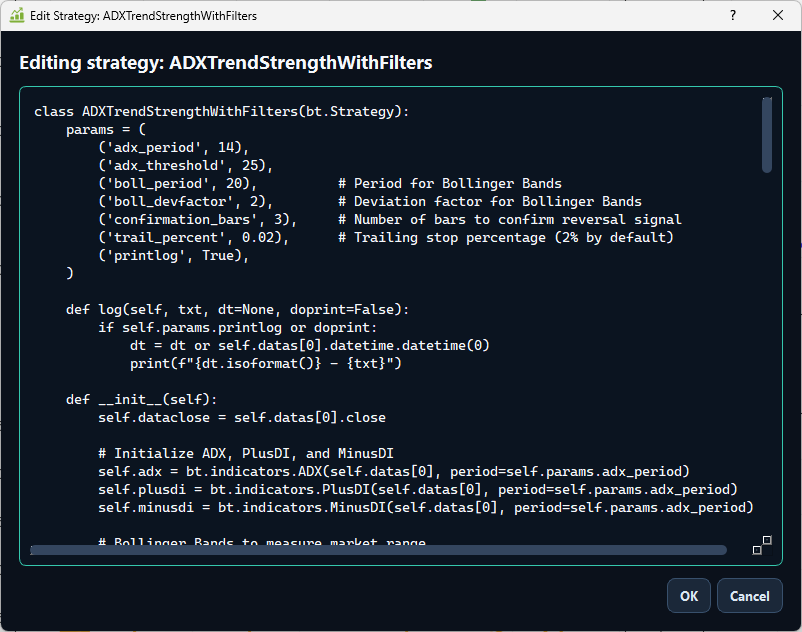
Built-in strategy editor
Open, inspect, and edit strategy code directly inside the app before running the test.
Backtester v5.0.0 upgrades the app into a cleaner research environment with editable strategies, multi-asset portfolio testing, rolling windows, real statistics, HTML/PDF reports, and a sharper dark interface.
The page now highlights the new app screens instead of the older v4 copy: strategy editing, portfolio research, rolling analysis, statistics, and multi-asset results.
Open, inspect, and edit strategy code directly inside the app before running the test.
Test baskets like SPY, QQQ, AAPL, TSLA, GLD, and SLV with allocation controls.
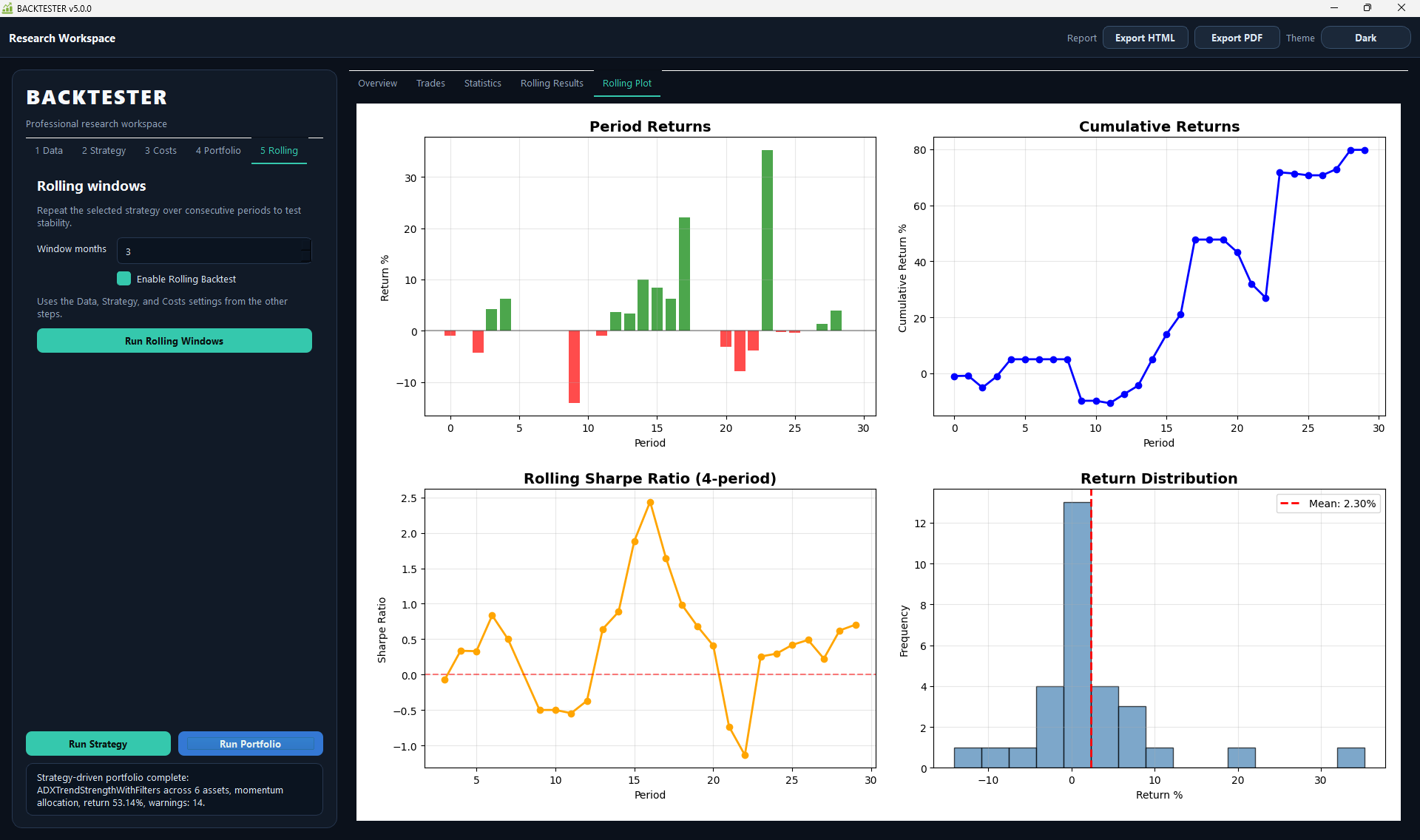
Check consistency with period returns, cumulative returns, rolling Sharpe, and distributions.
Export research results as HTML or PDF from the top toolbar.
Backtester keeps the visual workflow, but v5 adds the missing research screens needed for more realistic decisions.
The strategy editor lets users inspect and modify Backtrader strategy logic without leaving the workspace.
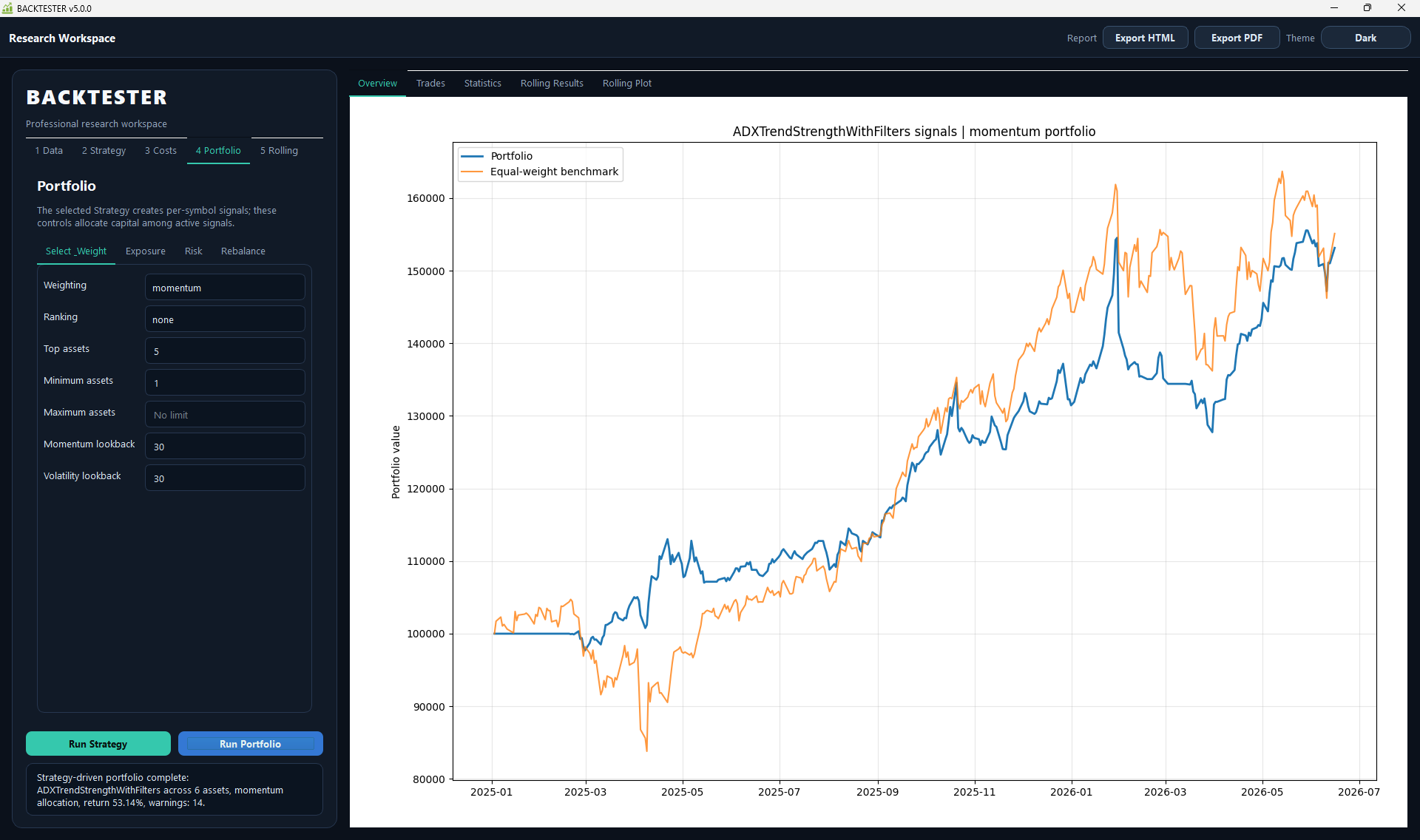
Use strategy signals across multiple assets, choose a weighting method, and compare portfolio equity against an equal-weight benchmark.
Rolling windows test the selected strategy across consecutive periods and make robustness easier to evaluate.
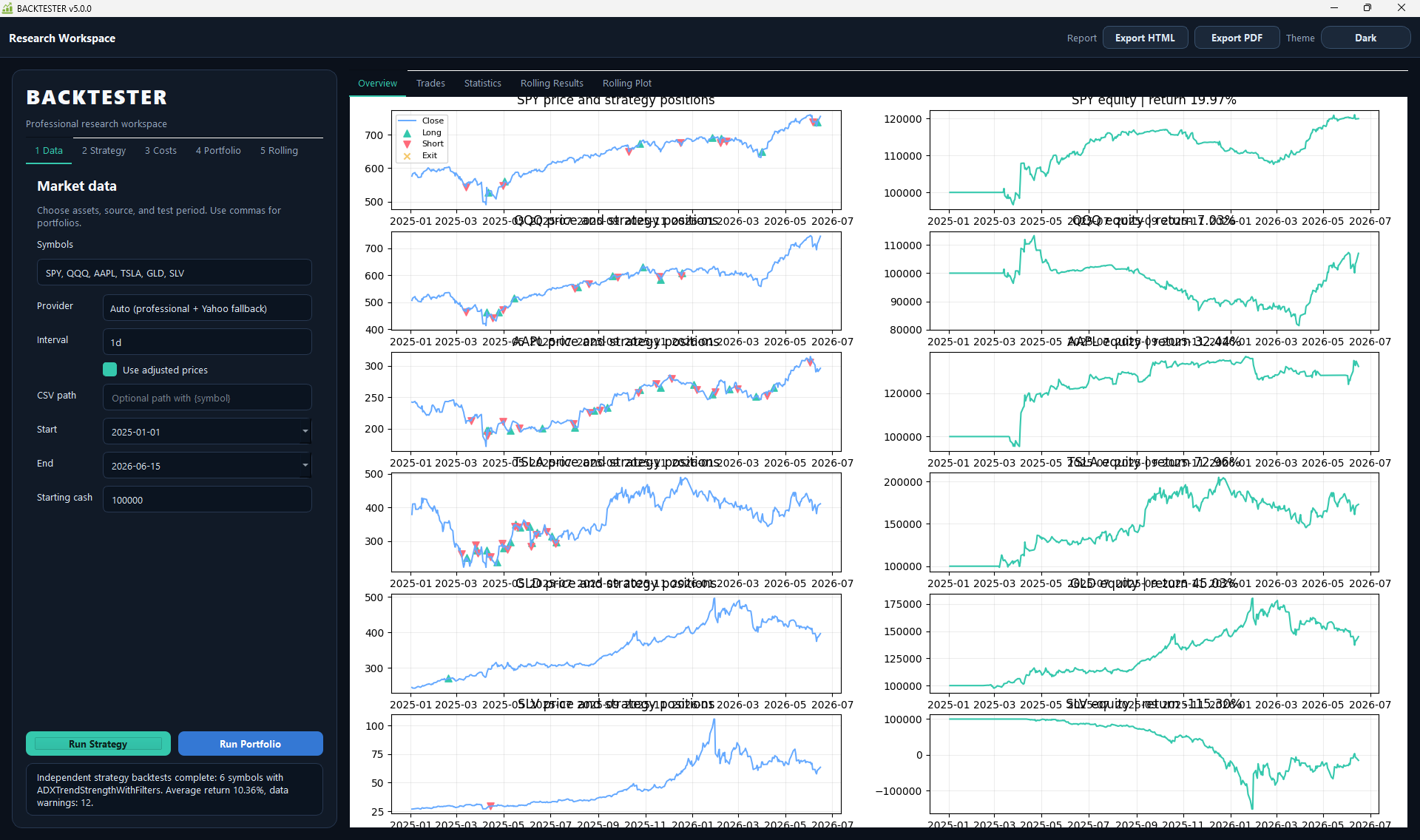
Analyze independent strategy results across all selected symbols with side-by-side price, position, and equity charts.
Setup is organized around the research process instead of a long static form.
Pick symbols, provider, interval, date range, adjusted prices, and starting cash.
Select a strategy, tune parameters, or open the strategy editor.
Set commission, spread, slippage, market impact, margin, and funding assumptions.
Choose weighting, exposure, risk, ranking, top assets, and rebalance settings.
Review overview, trades, statistics, rolling results, rolling plots, and exported reports.
Backtester v5 separates the major result views into tabs so analysis does not feel buried.
See a sample dashboard output.Review portfolio curves, per-symbol strategy charts, and benchmark comparison.
Track total return, annual return, volatility, Sharpe ratio, max drawdown, costs, fills, exposure, and active return.
Use windowed tests to spot stable or unstable behavior before trusting a strategy.
Use the guides to understand strategy writing, provider setup, execution assumptions, and portfolio configuration.
Get the current app, future strategy packs, continuous updates, priority support, and community access.